

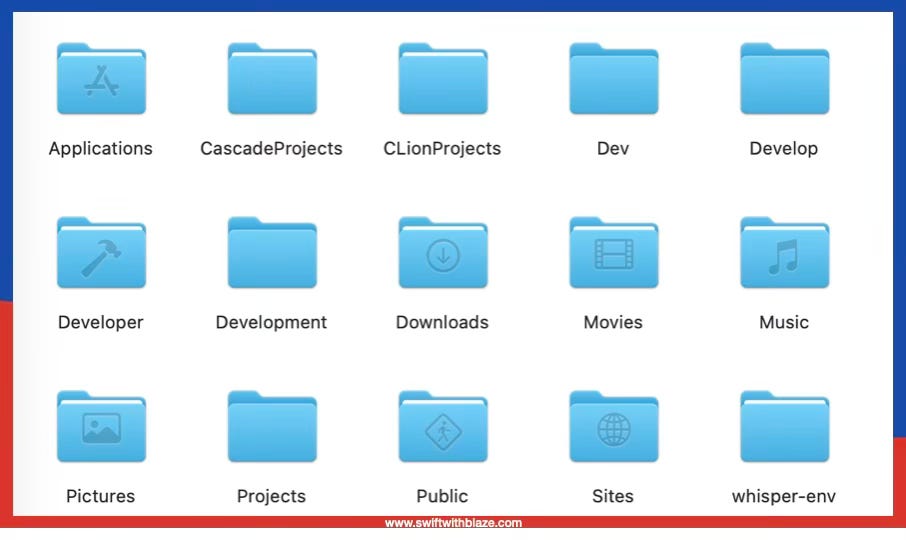
Why does the ~/Developer folder in the Home directory show up with a hammer icon in the sidebar?
Because this is a preferred location defined by Apple for storing Xcode projects. It is not mandatory, but if you choose that location, macOS displays a dedicated pictogram—similar to the Downloads or Desktop folders.
The ~/Developer folder is the natural place to:
store Xcode projects
clone GitHub repositories
keep code projects executed or generated by Codex, Cloud tools, or other generative CLIs, and Android Studio
If you are a hobby developer and are not interested in keeping your projects under Git control, you can place them anywhere. To back up such projects, simply duplicate or zip them. Typical locations include ~/Desktop or ~/Documents.
PoC / temporary / test projects stored on ~/Desktop?
Yes — it’s a convenient location when creating a new project with no business value.
If you keep projects in ~/Desktop or ~/Documents and those folders are synchronized with iCloud Drive, you get automatic backups. However, there is a risk: synchronization can be partial.
A realistic failure scenario:
You work on an app
The internet connection is slow or intermittent
Some files sync, others don’t
You leave (for lunch, for example)
Your computer is stolen
You buy a new Mac
iCloud restores the project, but not all files are at the same revision
Result: the app no longer compiles.
This is a rare case, but it can happen.