

Line Endings Option in Xcode’s (version 26.1) Identity Inspector in Text Settings Section, seems to be broken. It does not detect and does not convert line endings in current file. Checked with a project under git, no diffs. The option can be set as well on the developer level in Xcode Settings but still no effect on newly created files
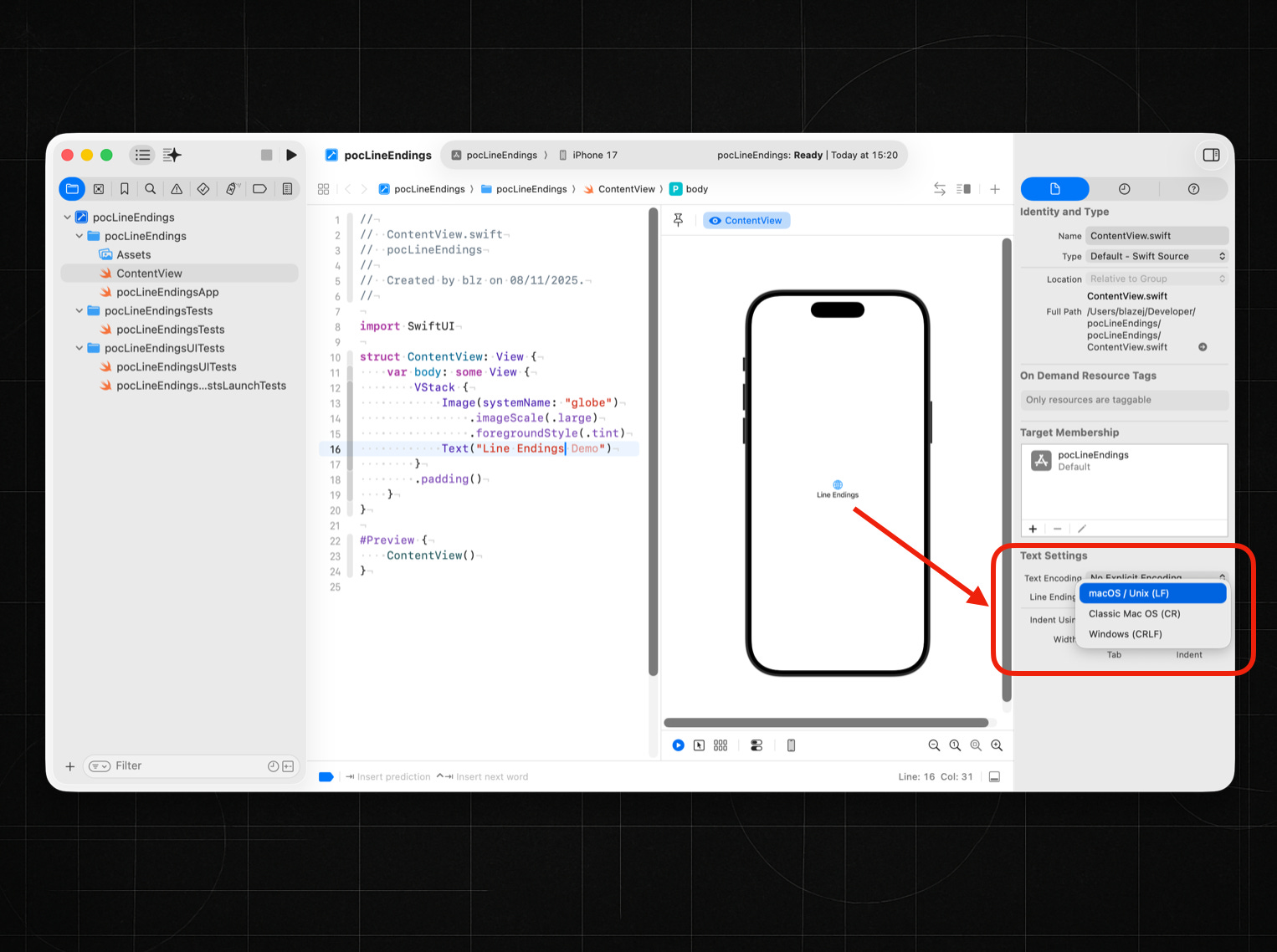
Let’s suppose the feature works correctly. What is it for? To simulate the feature, I will use Visual Studio Code to apply changes to the line endings of a file.
But first of all: what are line endings, and what’s the difference between their variants?
Line endings are the control characters a system writes to mark the boundary between two lines of text. Historically, they came from typewriter and teletypes: CR (carriage return, ASCII 13) moved the print head back to column zero, and LF (line feed, ASCII 10) advanced the paper by one line. Different operating systems chose different conventions for encoding a line break in a file—classic Mac OS used CR, Unix-like systems (including modern macOS) use LF, and Windows uses the two-byte sequence CRLF. Modern software treats all of these as the semantic “end of line,” but terminals still implement the original behaviors: CR moves the cursor to the start of the line, LF moves it down. So the practical differences today are about which bytes appear in the file and how tools handle them—not a difference in the intended meaning.
What is the difference between a typewriter and a teleprinter?
A typewriter is a mechanical machine that prints characters directly onto paper, and it can only be operated by a human pressing its keys. A teleprinter, on the other hand, is built on the same basic mechanism but can be operated either by a person or by incoming electrical signals. The “tele-” prefix means “at a distance,” which is the core difference: a teleprinter can send and receive encoded electrical messages over a line and execute the corresponding mechanical actions—striking a character, advancing the line, or performing a carriage return—even when the operator is nowhere near the receiving machine. Teleprinters were connected to telegraph networks, railroad communication lines, and later early computers as TTY terminals, making them both input and output devices for remote systems. In short, the typewriter works only where you sit; the teleprinter works both locally and across distance.
Is this line ending feature important for me ?
If you’re working across macOS, Linux, and Windows environments, yes.
If you stay fully inside the Apple ecosystem (Xcode, Swift, Git on macOS), no—99% of the time you won’t care.
The only cases where it matters for you as an iOS developer:
you collaborate with Windows users
you run scripts/tools that are sensitive to CRLF
you commit to repos with strict .gitattributes rules
you parse files programmatically and line breaks must be uniform
you maintain cross-platform code or CI pipelines
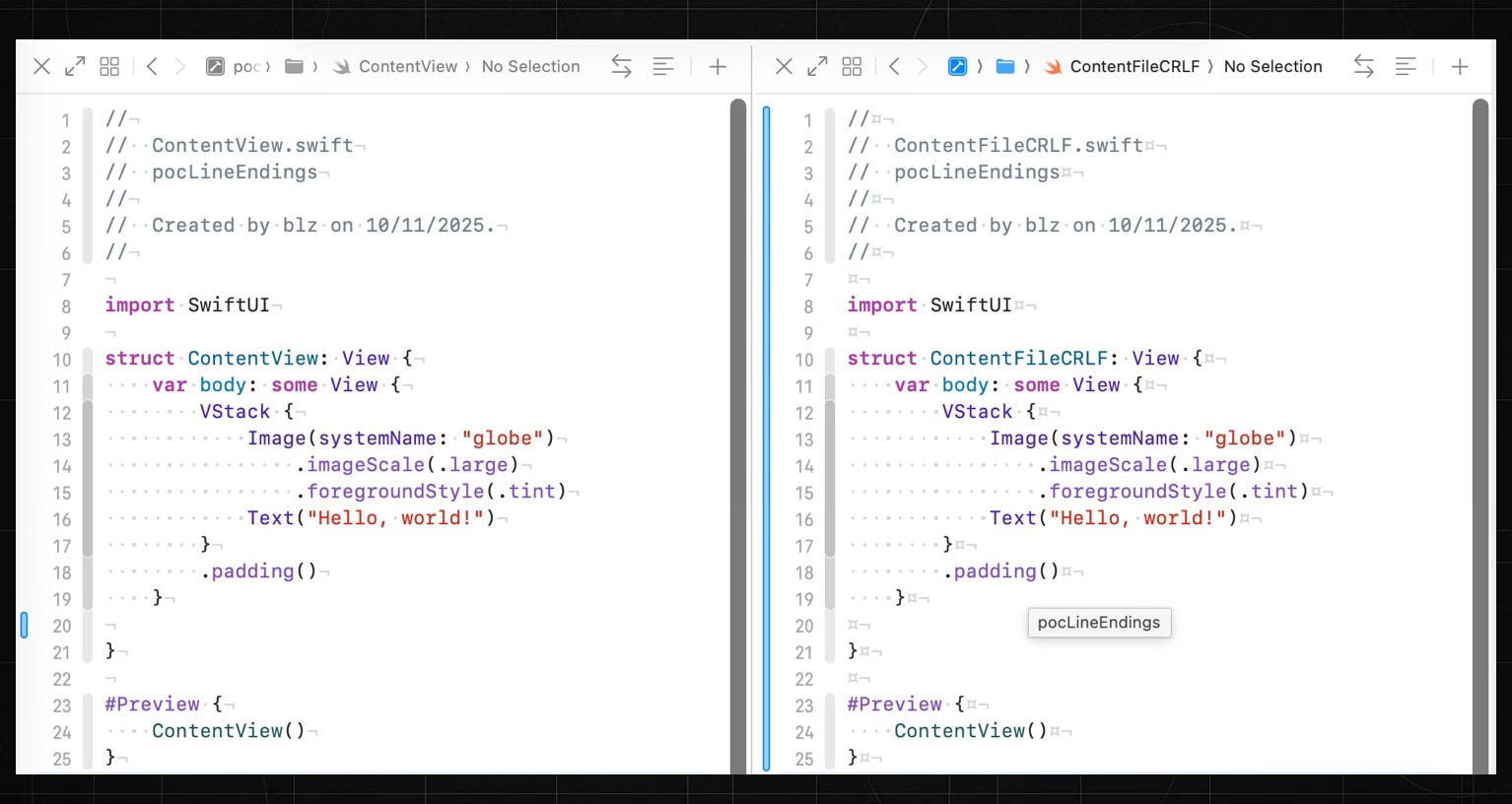
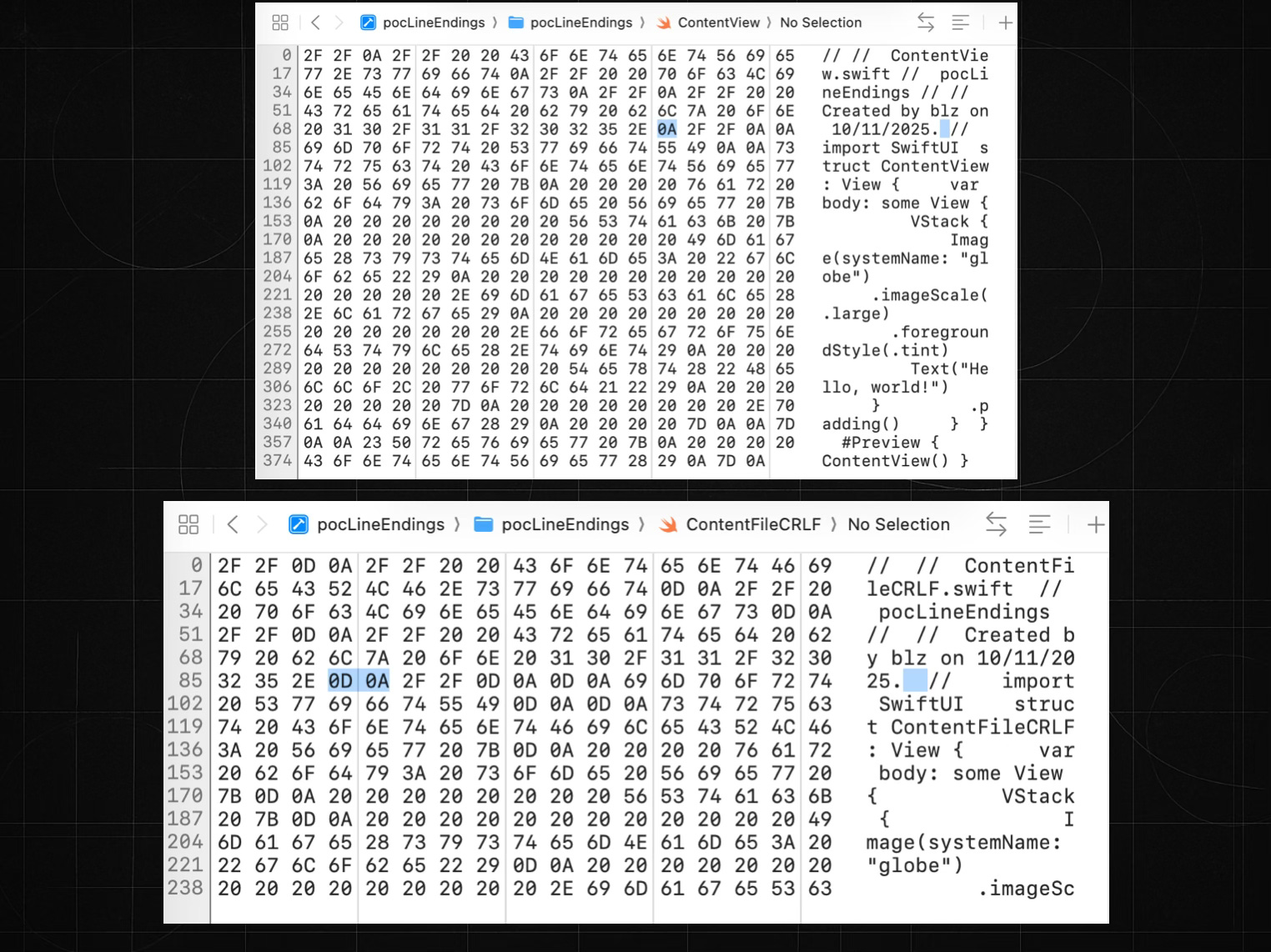
Off topic: Line endings in programming languages and terminals
Line endings in source files affect how a compiler’s parser reads and tokenizes code, but line endings also have runtime meaning when interpreted inside string literals. C on Unix was the first widely adopted combination of language and system to assign semantic meaning to escape sequences in strings. Literal sequences such as \n, \r, or \ represent control characters with specific behavior.
let str: String = “Hello\nWorld!”
Displayed in SwiftUI, this appears on two lines, because \n is interpreted as a line feed. To avoid any semantic interpretation of escape sequences, you must use raw string syntax:
let str: String = #”Hello\nWorld!”#
Now back to physical line endings: CRLF, CR, and LF. In semantic escape form:
\rrepresents CR\nrepresents LF
Therefore:
let strCRLF = “Hello\r\nWorld!”
Produces a single new line because \r\n is interpreted as the Windows line-ending sequence.
let strCRCR = “Hello\r\rWorld!”
Produces two new lines because you have two CR characters.
let strLFLF = “Hello\n\nWorld!”
Also produces two new lines because you have two LF characters.
How terminals interpret line endings
Let’s examine echo in the default macOS Terminal.
echo “Hello World”Produces a single line as expected.
echo “Hello\nWorld”Produces two lines because the shell interprets the escape sequence semantically.
echo “Hello\rWorld”Shows the mechanical behavior inherited from teletypes: CR (\r) moves the cursor back to column 0, and the next characters overwrite the existing line. The visible result is “World“
echo “Hello\r\nWorld”Behaves like a typewriter and not like Windows new line: CR moves to column 0, LF moves down one line.
More interesting:
echo “Hello\r\nWorld\rA”Results in:
AorldBecause the cursor is moved twice to column 0 — the last A overwrites the W of “World”.
If you found this section useful, like, share, and subscribe to get more deep-technical posts on iOS development.