

Unicode and Fonts
From custom app fonts to the Last Resort font
This post explains the relationship between Unicode and fonts, with a focus on what happens when custom fonts lack glyphs. It covers font coverage limits, system fallback behavior, and why missing characters appear as fallback glyphs or, in the worst case, the Last Resort font in applications.
1. What Is Unicode?
Unicode is an ordered system that defines characters and their identifiers.
More precisely, it defines a set of code points—numeric identifiers that uniquely represent characters in text. A code point identifies what a character is, not how it looks.
Unicode is more than a simple table. The standard also specifies algorithms for combining marks, bidirectional text ordering, normalization, segmentation, and shaping behavior for complex scripts. These rules are implemented by operating systems and text engines.
Unicode itself does not draw anything. It defines characters and their behavior; visual rendering is handled elsewhere. The same Unicode character can appear differently depending on the font and platform.1
2. What Is a Font?
A font is a collection of designed glyphs, metrics, and typographic rules packaged together to render characters visually. It defines appearance, spacing, shaping behavior, and stylistic variations, and is distributed as a font file.
A Unicode font is a font that maps glyphs to code points defined by the Unicode Standard. Fonts do not define Unicode; they implement it by providing visual representations for some subset of code points.
Fonts that support a wide range of scripts and symbols are sometimes called pan-Unicode fonts. However, a single font file is limited to 65,535 glyphs, because glyph identifiers are 16-bit values. As a result, no single font can provide distinct glyphs for all defined Unicode characters (159,801 characters in Unicode 17.0).
In practice, “pan-Unicode” does not mean one font file. It refers to a family of coordinated fonts, each covering different scripts or character ranges.
Notable examples include Noto (Google), Arial Unicode MS (Microsoft), DejaVu Sans, and GNU Unifont.
3. What Is the Noto Font Family?
The Noto2 font family is a collection of open-source fonts created by Google that aims to provide consistent coverage across Unicode scripts. “Noto” means “No Tofu”, referring to the goal of eliminating missing-glyph boxes.
Rather than a single massive font, Noto is composed of script-specific fonts (Latin, Arabic, CJK, Emoji, and others) designed to work together visually. Despite its broad coverage, Noto is not fully complete, and systems may still fall back to other fonts or the Last Resort font for rare or newly added code points.
4. Font Fallback Mechanism
Font fallback3 is handled by the operating system’s text rendering stack, which sits between applications and fonts. When an application requests text rendering, the system maps Unicode code points to glyphs provided by the selected font.
If a glyph is missing, the text engine automatically searches a prioritized set of fallback fonts that better match the script, language, and typographic context. This resolution happens at the glyph level and may result in multiple fonts being used within the same line of text.
If no available font contains the required glyph, the system ultimately uses the Last Resort font, indicating missing font coverage rather than invalid text.
5. What Is the Last Resort Font?
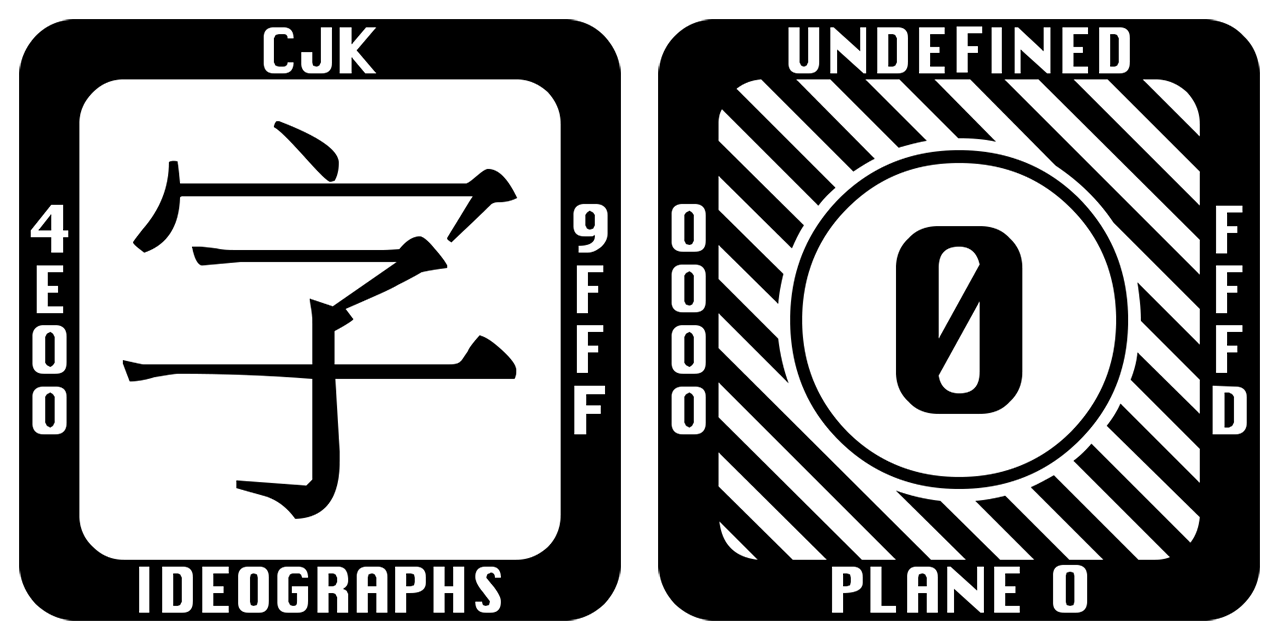
The Last Resort font4 is a special-purpose font used by operating systems as the final step in the font fallback process. It does not attempt to render characters correctly or aesthetically.
Instead, it provides a generic placeholder glyph for every possible Unicode code point. Each glyph typically appears as a box containing a visual representation of the character’s Unicode value.
This makes the Last Resort font diagnostic rather than typographic. Its presence indicates that the character is valid Unicode, but no installed font provides a proper glyph for it. If you see this font, you have a font coverage problem.
6. Debug Fonts
Adobe also provides specialized diagnostic fonts such as Adobe Blank5 and Adobe .notdef. Adobe Blank is a font that intentionally contains empty glyphs for most characters, making rendered text effectively invisible. It is used to detect unintended text rendering or layout dependencies. Adobe .notdef focuses on exposing missing-glyph behavior by forcing the use of the .notdef glyph. Unlike the Last Resort font, these fonts are developer tools, not system fallbacks, and are used deliberately to debug font coverage and rendering assumptions.
7. Custom App Fonts
When an application specifies a custom font and that font does not contain a glyph for a given code point, the operating system performs fallback:
Try the custom font
If the glyph is missing, try system fallback fonts
If no glyph exists anywhere, display a tofu box or the Last Resort font
This fallback often appears as a sudden change in style inside a word, label, or paragraph.
8. Practical Advice for App Developers
Use the system default font unless your app’s identity truly depends on a custom typeface.
System fonts provide broad script coverage and built-in shaping support, but they can change across OS versions. Metric adjustments may occur, which can lead to screenshot testing failures.
Choosing a custom font can be a deliberate way to gain visual stability and independence from system font changes. If you choose a custom font:
Verify that the languages most important to your users are supported
Expect fallback for unsupported characters
Remember that, in the worst case, missing glyphs will be rendered using the Last Resort font
Unicode guarantees character identity, not font availability or visual appearance.
Font and keyboard FAQ: https://www.unicode.org/faq/font_keyboard
Noto fonts on Wikipedia: https://en.wikipedia.org/wiki/Noto_fonts
Fallback Font on Wikipedia: https://en.wikipedia.org/wiki/Fallback_font
Last resort font on Github: https://github.com/unicode-org/last-resort-font
Adobe blank debug font on Github: https://github.com/adobe-fonts/adobe-blank/