

Swift’s String equality is based on canonical Unicode equivalence—not on raw bytes, code units, or code points.
Comparing strings for equality using the equal-to operator (==) or a relational operator (like < or >=) is always performed using Unicode canonical representation. As a result, different representations of a string compare as being equal.
let cafe1 = "Cafe\u{301}" // NFD - Normalization Form D (Canonical Decomposition)
let cafe2 = "Café" // NFC - Normalization Form C (Canonical Composition)
print(cafe1 == cafe2)
// Prints "true"
The Unicode scalar value “\u{301}” modifies the preceding character to include an accent, so “e\u{301}” has the same canonical representation as the single Unicode scalar value “é”.
Basic string operations are not sensitive to locale settings, ensuring that string comparisons and other operations always have a single, stable result, allowing strings to be used as keys in Dictionary instances and for other purposes.1
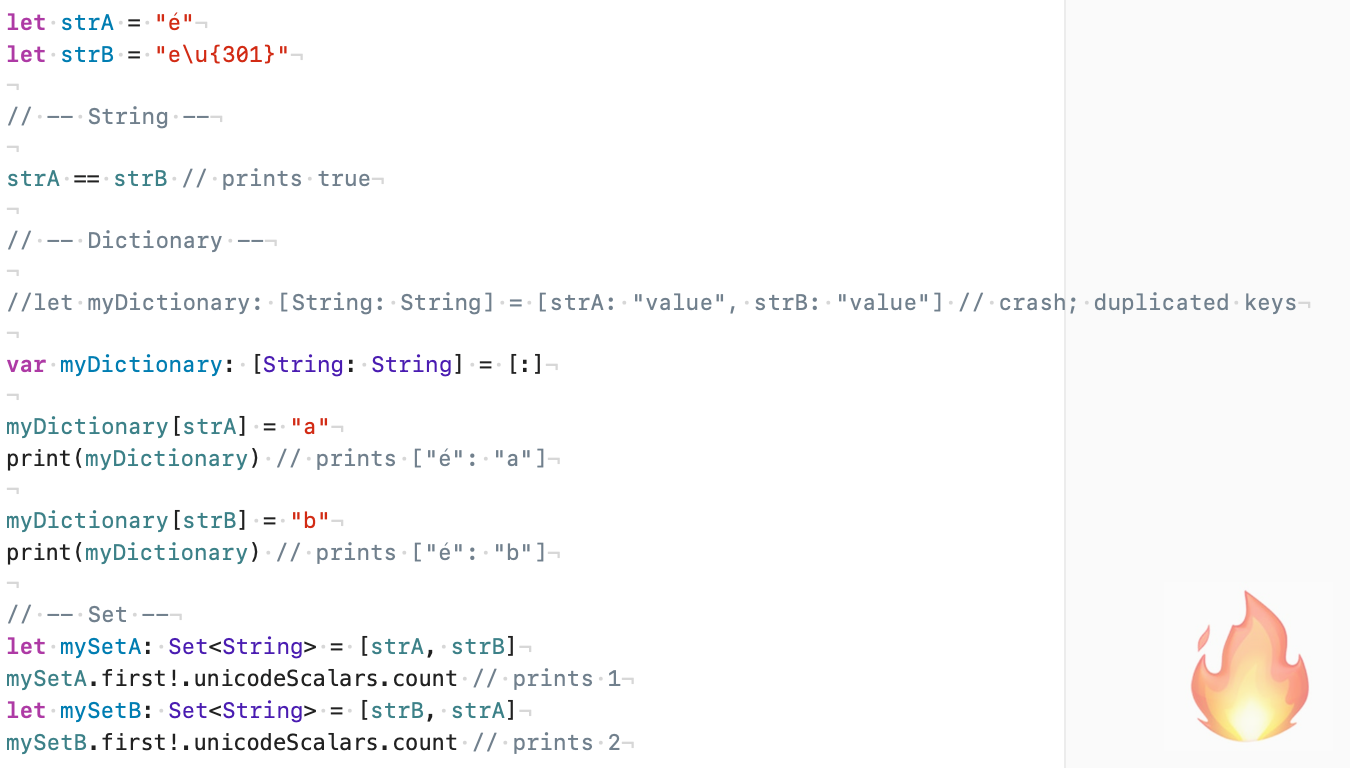
Dictionary keys rely on hashing for fast lookup and fall back to == to resolve collisions. Because String equality is Unicode-aware, keys with different code points but canonically equivalent values are considered equal. When creating a dictionary, this can trigger a duplicate-key conflict (requiring a conflict-resolution closure) or even crash the app, depending on the initializer used; when assigning a value later, the new value replaces the existing one.
Set behaves similarly: canonically equivalent strings represented with different code points (for example, NFC vs NFD) are treated as the same element. In such cases, only one value is stored, and the actual stored representation depends on which variant was inserted first.
Concatenation, user input, copy-paste, JSON payloads, and localization frequently introduce mixed normalization. You don’t see it. Swift does.
Rule of thumb: when a string is used as an identifier, key, or lookup value—and there is a risk of mixed normalization (NFC vs NFD)—normalize it explicitly (and usually case-fold it) before storing or comparing. Unicode equivalence is great for text—but dangerous for identifiers.
Modifying and Comparing Strings - Swift Documentation