

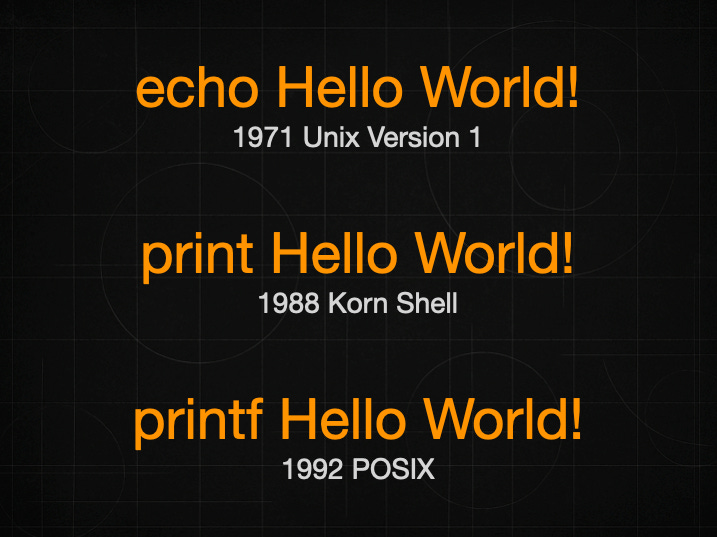
To print “Hello World!“ in macOS Terminal using the default zsh shell, just type echo
echo “Hello World!“but hey, you can do it as well with printf
printf “Hello World!“and even with print
print “Hello World!”What it the difference between these three commands?
Each command appeared at the different moment and for different reasons.
1. echo — the oldest (early 1970s)
Origin: UNIX Version 1 (AT&T Bell Labs)
Creators: Ken Thompson & Dennis Ritchie (UNIX authors)
First appearance: 1971
echo was one of the original commands in early Unix.
Its only job: write text to standard output.
That’s why it’s primitive, inconsistent, and full of historical quirks — it predates portability standards, POSIX, and even ANSI C.
It existed long before shells became programmable languages.
2. printf — much later (1980s → 1992 standardization)
Origin: C programming language’s printf (Brian Kernighan & Dennis Ritchie) around 1972–1974
Shell version introduced: AT&T System V shell (/usr/bin/printf), mid-1980s
POSIX standardization: IEEE POSIX.2 (1992)
Shell printf did not exist in early Unix.
It was added when shell scripting became more serious and the community needed a precise, predictable formatter — something echo could never be.
POSIX essentially forced every shell to ship a compatible printf implementation.
3. print — invented by David Korn for the Korn shell (mid-1980s)
Origin: KornShell (ksh)
Creator: David Korn, AT&T Bell Labs
First appearance: ksh88, released 1988
print was created because:
echo was unreliable
printf didn’t yet exist as a shell command
Korn wanted a consistent, user-friendly output builtin
Later, zsh (1990, Paul Falstad) adopted and extended print because it fit their philosophy of improving shell ergonomics.
When should I use print versus printf in the shell, and in which situations is it appropriate for an iOS developer to rely on echo?
1. print — use it only in zsh (interactive use)
print is a zsh/ksh-specific convenience command.
Use print when:
you are typing commands interactively in zsh
you want cleaner, predictable behavior than echo
you want features like
print -r(raw),print -f(formatting), or automatic newline
Do NOT use print in scripts unless the script is explicitly for zsh (#!/bin/zsh).
If the script must run everywhere → never touch print.
2. printf — use it in scripts (portable, predictable)
printf is the correct command when you want:
reliability
cross-platform compatibility
consistent escaping
no random behavior with
-e,-n, backslashes, or optionsportable shell scripts (
#!/bin/sh,#!/bin/bash,#!/bin/zsh,#!/bin/dash, etc.)
printf is guaranteed by POSIX.
It behaves the same everywhere.
It never surprises you.
Typical use:
printf “Hello World\n”3. echo — use for quick and dirty output, interactive only
echo is fine for:
quick interactive use
debugging while typing commands
humans reading output where precision doesn’t matter
But it is NOT reliable in scripts, because:
some
echointerpret\nsome don’t
some treat
-especiallysome don’t
some print
-nliterallysome treat it as option
behavior differs between BSD, GNU, POSIX shells, and builtins
Example of “fun” portability issues:
echo “\n”     # may print one newline, two, or the characters “\”, “n”
echo -e “\n”  # may work, may not
echo -n hi    # may print “hi” or “-n hi”
If you care about correctness → don’t use echo.
Should an iOS developer use echo?
Yes for interactive debugging, no for scripting.
As an iOS developer you are using the shell mostly for:
printing messages in simple scripts
build scripts
CI scripts (Fastlane, GitHub Actions, Bitrise, Jenkins)
Xcode Run Script phases
In these contexts, you should prefer printf, because:
output must be predictable
logs must be stable
CI machines may run different shells
macOS (BSD), Linux (GNU), and Alpine (Busybox) all differ
echo is fine when:
echo “building...”
echo “done”
But for anything involving escaping, newlines, or control characters → use printf.
Your simple rule (practical):
Interactive zsh (Terminal typing)
Use
printorechoThey’re fast, convenient, and safe enough
Scripts (shell, CI, build steps, automation)
Always use
printfNever use
printAvoid
echounless it’s trivial text